
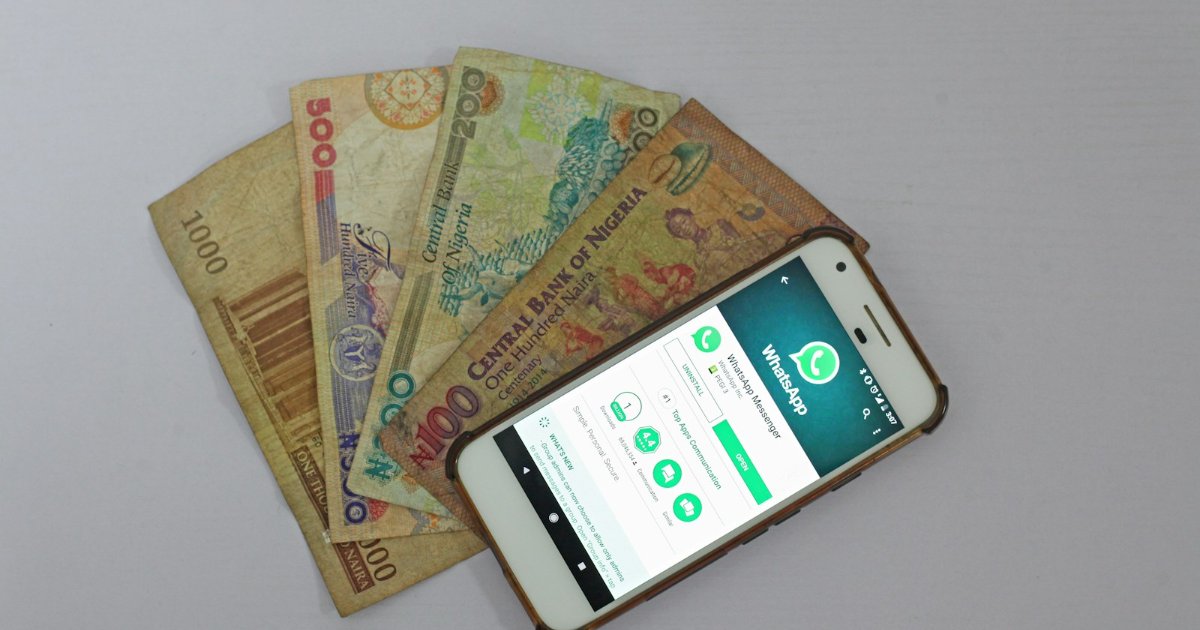
M-Pesa integration for your website needs three things: a Safaricom business shortcode (a Paybill or a Till), a developer account on Safaricom’s Daraja portal to get your API credentials, and a website that can send a payment request and receive Safaricom’s confirmation. Once approved, customers pay by entering their phone number, receiving a prompt on their handset and typing their PIN.
They never leave your site.
If you sell anything online in Kenya, M-Pesa is not optional. Asking a customer to fetch a card, or worse to send money manually to a till number and then WhatsApp you a screenshot, loses sales at the exact moment someone has decided to buy. Proper integration removes that friction entirely.
This guide explains what is involved in plain language, written for business owners rather than developers, so you know what you are buying and what to ask for.
What M-Pesa integration actually means
There is an important difference between displaying a till number and integrating M-Pesa.
- Displaying a number means the customer leaves your site, opens the M-Pesa menu, pays manually, and then tells you they have paid. You reconcile it by hand. Mistakes and disputes are common, and many customers abandon the purchase.
- Integration means your website talks directly to Safaricom. The order is created, payment is requested, Safaricom confirms it automatically, and the order is marked paid without anyone touching a spreadsheet.
The connection is made through Safaricom’s official API platform, Daraja. That is the only legitimate route, and any provider offering M-Pesa on your site will be using it.
Paybill or Till: which do you need?
Before any development happens you need a business shortcode from Safaricom Business. Which one depends on how you sell.
| Option | Best for | Account reference |
|---|---|---|
| Paybill | Orders, invoices, subscriptions and anything you need to match to a specific customer | Yes, customers enter an account number |
| Till (Buy Goods) | Straightforward retail sales where the amount is the whole story | No account number |
For most online stores a Paybill is the safer choice, because the account reference lets you tie each payment to an order number automatically. If you already trade with a Till, integration is still possible. Talk to Safaricom about which product suits your business before applying, since changing later is more work than choosing correctly at the start.
How STK push works for your customer
The feature you actually want is called Lipa na M-Pesa Online, better known as STK push. From the customer’s side it looks like this:
- They reach checkout and choose M-Pesa.
- They enter their phone number and press pay.
- A prompt appears on their handset showing your business name and the amount.
- They enter their M-Pesa PIN.
- Safaricom notifies your website, which marks the order paid and sends confirmation.
The whole thing takes seconds and the customer never leaves your website. That is the entire point, and it is why integrated stores convert better than stores that display a till number.
What you need before you start
Have these ready, because the paperwork usually takes longer than the coding:
- A registered business with the documents Safaricom asks for, which typically include your certificate of registration, KRA PIN and the identification of the business owners or directors.
- A Paybill or Till shortcode issued to that business.
- A Daraja developer account, which is free to create.
- Your API credentials: a consumer key, a consumer secret, your shortcode and a passkey.
- A website on HTTPS with a valid certificate. Safaricom sends payment confirmations to a callback address on your site, and that address must be secure and publicly reachable.
That last requirement catches people out. If your certificate is broken or your site is not properly reachable, confirmations fail and orders sit unpaid even though the customer’s money has left their account.
Want M-Pesa on your website?
We integrate M-Pesa STK Push, Paybill and Till payments into new and existing websites. See our ecommerce packages and prices, or see how we did it for Fahavi Computers.
The process, step by step
- 1. Apply for the shortcode. Done directly with Safaricom, with your business documents.
- 2. Create a Daraja account and register an application to obtain your consumer key and secret.
- 3. Build and test in the sandbox. Daraja provides a test environment so payments can be simulated safely before real money moves.
- 4. Connect the callback. Your site exposes a secure address that Safaricom notifies when a payment succeeds or fails. This is what makes reconciliation automatic.
- 5. Go live. Credentials are switched from sandbox to production and Safaricom confirms your setup.
- 6. Test with real money. Always run a genuine low value transaction before announcing that you accept payments.
A competent developer handles steps two to six. Step one is yours, and it is usually the slowest.
Want M-Pesa STK Push working on your website this month?
M-Pesa integration is included in every Stechaide online store (from KSh 60,000). Already have a website? We can add M-Pesa to it as a standalone job.
Get a free M-Pesa integration quote → or chat with us on WhatsApp
Inside the Daraja portal: how STK push is set up
If you are briefing a developer, or you are one, this is what sits behind the M-Pesa prompt. On Safaricom’s Daraja portal, STK push is now listed as M-Pesa Express. It is the same Lipa na M-Pesa Online product.
1. Create an app on the Daraja portal
Sign up at developer.safaricom.co.ke, create an app and enable the M-Pesa Express product. The portal issues a consumer key and consumer secret. Your server swaps these for a short-lived access token before each payment request. Sandbox and production apps have separate keys, so never mix them.
2. Build against the sandbox first
Daraja’s sandbox provides a public test shortcode and passkey, so your developer can trigger test prompts and inspect sample confirmations without moving real money. Your own Paybill or Till is not needed at this stage, which is why development can run while Safaricom is still approving your shortcode.
3. Send the payment request
Every STK push request carries a small set of fields. These are the ones that cause most failed integrations:
| Field | What it holds | Common mistake |
|---|---|---|
BusinessShortCode | Your Paybill number, or for a Till your store number | Putting the Till number here |
Password | Shortcode + passkey + timestamp, Base64-encoded | Timestamp not in YYYYMMDDHHmmss format, or the sandbox passkey used in production |
TransactionType | CustomerPayBillOnline for a Paybill, CustomerBuyGoodsOnline for a Till | Type does not match the shortcode you hold |
PartyB | The Paybill number, or the Till number for Buy Goods | Store and Till numbers swapped |
PhoneNumber | The customer’s number as 2547XXXXXXXX or 2541XXXXXXXX | Sending 07…, 011… or +254 without reformatting |
CallBackURL | A public HTTPS address on your website | HTTP, localhost, or an address blocked by a firewall or security plugin |
AccountReference | The order number the customer sees (12 characters or fewer) | Blank or overly long references that make reconciliation harder |
Store number vs Till number
This is the most common Buy Goods mix-up. When Safaricom issues a Till, the business also has a store number, sometimes called the head office number. STK push requests for a Till use the store number as the BusinessShortCode and the Till number as PartyB. If you only know your Till number, get the store number from Safaricom or your M-Pesa organisation portal before development starts.
4. Handle the confirmation and result codes
Safaricom posts the outcome to your callback address. A ResultCode of 0 means the customer paid, and the message includes the M-Pesa receipt number, which you should save against the order. The other codes you will see most often:
- 1032: the customer cancelled the prompt.
- 1037: the prompt could not reach the phone or timed out, usually because the phone is off or out of network.
- 2001: invalid initiator information, usually a wrong M-Pesa PIN.
- 1: insufficient balance.
Each of these should return the order to “awaiting payment” with a clear message to try again. If no confirmation arrives within a minute or two, your site should use Daraja’s STK push status query to check the transaction, rather than assuming it failed.
5. Go live
Daraja’s Go Live process moves your app to production and links it to your real shortcode. It is approved by the administrator of that shortcode on the M-Pesa organisation portal and verified with a one-time code. Safaricom then sends the production passkey, usually by email. Swap the sandbox credentials and callback address for the production ones, then run a real low-value payment before you tell customers you accept M-Pesa.
Prefer not to deal with any of this? We handle the Daraja setup, testing and go-live as part of every ecommerce build, or as a standalone job on an existing site.
How long it takes
The development work is not the bottleneck. For a straightforward store, connecting M-Pesa is typically a matter of days once credentials are in hand.
Getting the shortcode approved is what determines your launch date, and that commonly runs to several weeks depending on how complete your paperwork is and what sector you trade in. Businesses in regulated sectors face additional checks. Start the Safaricom application early, in parallel with the website build, rather than waiting until the site is finished.
What it costs
There are two separate costs, and providers sometimes blur them:
- Safaricom’s charges. Transaction and service charges are set by Safaricom, not by your developer. Confirm the current rates directly with them, since tariffs change and you should budget from the official figures rather than a blog post.
- Development. A one-off cost to build and test the connection. On our own ecommerce development packages, M-Pesa integration is included rather than billed as an extra, and our guide to website costs in Kenya sets out the wider budget.
Common mistakes to avoid
- Registering the shortcode under a personal name. It should belong to the business, or you create ownership problems later.
- Letting the developer hold your credentials. Your consumer key, secret and passkey belong to you. Keep your own copy.
- Skipping the failure cases. Customers cancel prompts, enter wrong PINs and run out of balance. The site must handle all three gracefully rather than leaving the order stuck.
- No reconciliation check. Occasionally a confirmation does not arrive. A good build queries the transaction status rather than assuming silence means failure.
- Never testing after launch. Payment flows break quietly after updates. Test yours monthly, the same way you should be testing your contact form.
- Announcing before a live test. Always push one real shilling through before you tell customers you accept M-Pesa.
Do you need a developer?
For the Safaricom application, no. Any business owner can apply for a Paybill or Till.
For the integration itself, realistically yes. It involves authentication tokens, encrypted passwords generated from your passkey and a timestamp, a secure callback endpoint and proper handling of failed payments. If you use a common platform there are plugins that shorten the work, but they still need configuring, securing and testing, and a badly configured plugin that loses payment confirmations is worse than no integration at all.
We build M-Pesa checkout into the online stores we deliver, including the Fahavi Computers store you can see on our portfolio page. If your current store is live but not converting, our guide on why websites stop producing enquiries covers the other usual culprits.
Want M-Pesa working on your store?
Tell us what you sell and whether you already have a Paybill or Till, and we will tell you what is involved, how long it will take and what it will cost. If you only need the integration rather than a new site, say so and we will quote for that alone.
Request a free consultation or see our ecommerce development packages.
Frequently asked questions
How do I add M-Pesa to my website in Kenya?
You need a Safaricom Paybill or Till shortcode registered to your business, a free developer account on Safaricom’s Daraja portal to obtain your API credentials, and a developer to connect your site so it can request payments and receive confirmations. The site must run on HTTPS with a valid certificate for Safaricom’s confirmations to reach it.
What is STK push?
STK push, officially Lipa na M-Pesa Online, is the prompt that appears on a customer’s phone asking them to confirm a payment with their M-Pesa PIN. It lets someone pay without leaving your website, which is why integrated checkouts convert better than displaying a till number.
Should I use a Paybill or a Till number?
A Paybill is usually better for online stores because it accepts an account reference, letting you match each payment to an order automatically. A Till suits simple retail sales where you do not need to identify what the payment was for. Confirm with Safaricom which product fits your business before applying.
How long does M-Pesa integration take?
The development work is often only a few days once credentials are available. Getting the shortcode approved by Safaricom is the slower part and commonly takes several weeks depending on your paperwork and sector, so start that application early.
Can I accept M-Pesa without a registered business?
Business shortcodes are issued to registered businesses, and you should not run commercial payments through a personal number. Register the business properly, both because Safaricom requires it and because it keeps ownership of the shortcode with your company.
What does M-Pesa integration cost?
There are two costs: Safaricom’s own transaction and service charges, which you should confirm directly with Safaricom as tariffs change, and a one-off development cost to build and test the connection. Some providers include the integration in an ecommerce build rather than charging separately.
What happens if a customer cancels the payment prompt?
A well built integration marks the order unpaid and lets the customer try again, rather than leaving it stuck or wrongly marking it complete. Cancelled prompts, wrong PINs and insufficient balance are normal and should all be handled cleanly.
Can I add M-Pesa to an existing website?
Usually yes, provided the site runs on HTTPS and is built on a platform that can be extended. You do not always need a rebuild. Ask your developer to quote for the integration on its own before assuming a new site is necessary.
What is the Daraja portal?
Daraja is Safaricom's developer portal at developer.safaricom.co.ke. Businesses and developers use it to create apps, get M-Pesa API credentials and test APIs such as STK push (listed as M-Pesa Express) in a sandbox before going live. Creating an account is free.
Can I use STK push with a Till number?
Yes. Use the CustomerBuyGoodsOnline transaction type, put your store (head office) number in BusinessShortCode and your Till number in PartyB. Using the Till number in both fields is a common reason Buy Goods requests fail.
Why is the M-Pesa prompt not appearing on the customer's phone?
The usual causes are a phone number in the wrong format, a phone that is off or out of network, or a request rejected because of wrong credentials or passkey. Check the response your site receives from Safaricom and the result code in the confirmation: 1037 means the phone could not be reached.